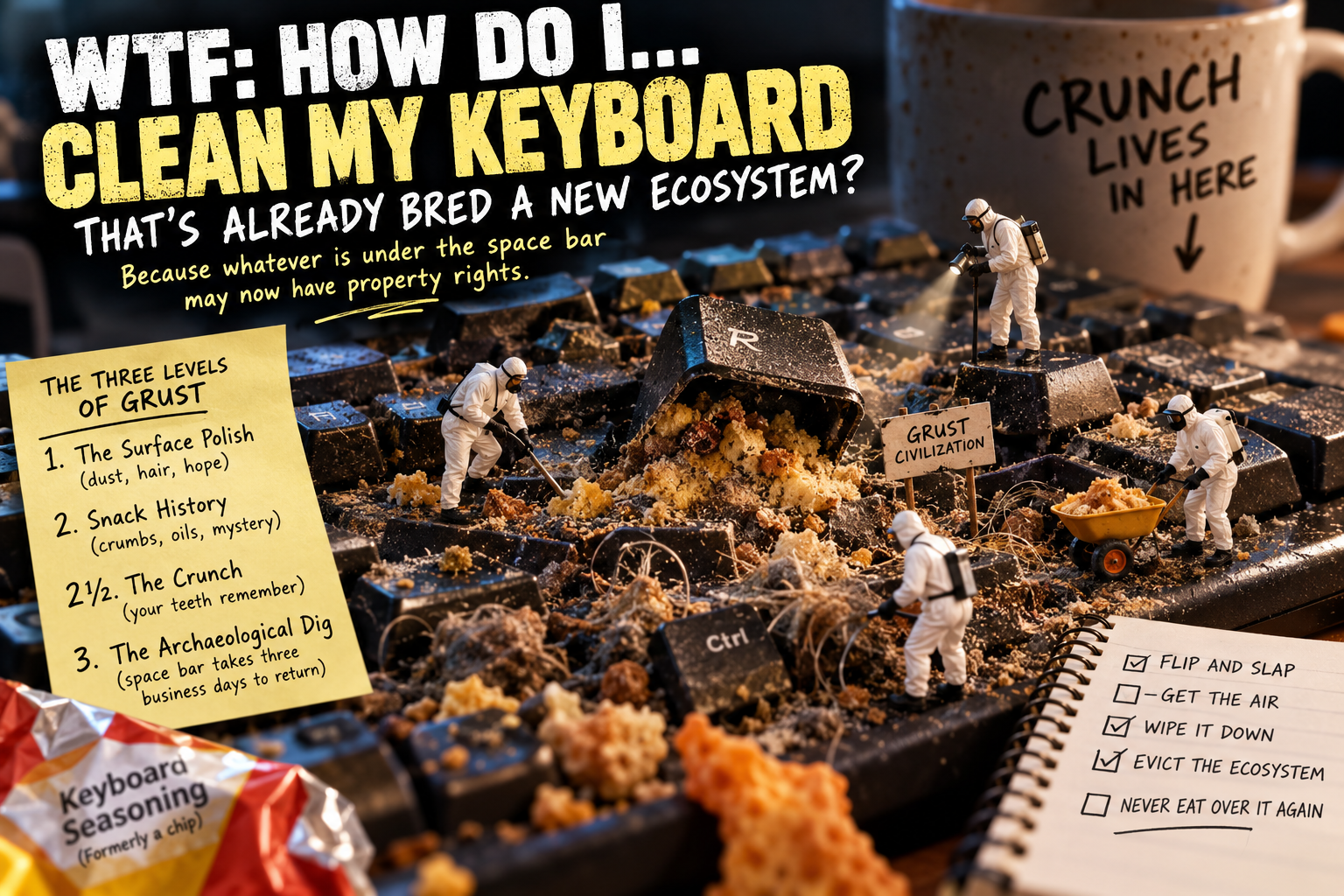
WTF: HOW DO I…
CLEAN MY KEYBOARD THAT’S ALREADY BRED A NEW ECOSYSTEM?
BECAUSE WHATEVER IS UNDER THE SPACE BAR MAY NOW HAVE squatters RIGHTS
Look down.
Right now.
Look at the spaces between the keys on your keyboard.
If you see pristine little valleys of mechanical perfection, congratulations.
Either you just opened the box five minutes ago…
or we don’t trust you.
For everybody else:
Jesus Christ.
There are crumbs between the keys.
There is hair.
There are several things that might be crumbs.
The E key appears to have been lacquered in human oils.
And somewhere between F7 and F8 is an object that cannot be readily identified by modern science.
Maybe your keyboard still works perfectly.
That’s not the point.
You touch this thing every damn day.
Let’s clean it before whatever is underneath the space bar finishes establishing municipal government.
FIRST, LET’S IDENTIFY THE LIFE-FORMS.
What exactly is living down there?
Probably nothing particularly exotic.
It’s mostly an unholy partnership between you, your environment and your snacks.
Dust.
Hair.
Lint.
Skin debris.
Food crumbs.
Skin oils.
Maybe pet hair.
Maybe a little dried residue from something you drank six months ago and immediately decided never happened.
Individually, none of this is especially remarkable.
But give it enough time and repeated compression from thousands of keystrokes…
and you’ve got grust.
Grime.
Crust.
GRUST.
We’re calling it that now.
THE THREE LEVELS
OF GRUST
Before we start cleaning, we need to know how deep into the biome we’ve gone.
LEVEL 1: THE SURFACE POLISH
The keys are shiny.
There’s dust between them.
Maybe some hair.
Maybe a crumb.
Everything still works.
Civilization controls the territory.
This is routine maintenance.
LEVEL 2: SNACK HISTORY
Cracker fragments.
Potato-chip sediment.
Something orange.
Possibly Dorito.
Possibly geological.
You can reconstruct several previous meals by examining the strata between G and H.
Still manageable.
Then we arrive at something else entirely.
LEVEL 2½: THE CRUNCH
You press a key.
CRUNCH.
And your entire body knows that sound.
You haven’t heard it before.
You’ve tasted it.
Remember being a kid at the beach?
You ate something.
Maybe a sandwich.
Maybe a potato chip.
Maybe you just made the terrible decision to lick your lips.
And then:
crrrrk.
One grain of sand between your teeth.
You bite again.
KRRRCH.
Your jaw immediately stops.
Your stomach does that tiny little nope maneuver.
And somehow your tongue becomes obsessed with finding the grain even though EVERY SINGLE TIME YOU FIND IT, YOU HAVE TO EXPERIENCE IT AGAIN.
crrk.
UGHHHH.
That’s The Keyboard Crunch.
Except you’re not chewing anything.
You’re pressing R.
CRUNCH.
And somehow your teeth still feel it.
You lift your finger.
Stare at the key.
Press it again.
Because apparently humans are incapable of receiving horrifying information only once.
crrrunch.
OH MY GRUST.
Whatever was under there is now flatter.
But it isn’t gone.
And that’s the truly nauseating part.
You can feel it through the key.
That tiny gritty resistance.
That microscopic grinding sensation transmitted through a piece of plastic, up your fingertip, directly into the primitive part of your brain responsible for remembering:
SAND.
IN.
YOUR.
TEETH.
Nobody knows why your molars are participating in something happening underneath the R key.
But they are.
And now you have to find out what you just crushed.
Maybe cracker.
Maybe pretzel.
Maybe potato chip.
Maybe something that stopped being identifiable sometime during the Obama administration.
Whatever it was…
you have now converted it into keyboard seasoning.
LEVEL 3: THE ARCHAEOLOGICAL DIG
You press the space bar.
It goes down.
And takes approximately three business days to return to the upright position.
schluuuuck.
That’s not a keyboard sound.
That’s a biological sound.
Now we’ve got accumulated grime.
Compacted debris.
Possibly dried liquid.
And something underneath the space bar appears to have become load-bearing.
At this point we’re no longer wiping down a keyboard.
We’re conducting an excavation.
BEFORE WE DISTURB THE HABITAT…
TURN THE DAMN THING OFF.
Separate USB keyboard?
Unplug it.
Wireless keyboard?
Turn it off and, if appropriate, remove the batteries.
Laptop?
Shut it down and disconnect the charger and accessories.
We’re about to clean electronics.
Electricity does not need a supporting role.
And while we’re establishing rules:
DO NOT SPRAY SH*T DIRECTLY INTO YOUR KEYBOARD.
Do not grab a bottle of cleaner and go:
PSHHH. PSHHH. PSHHH.
No.
Your keyboard is not a countertop.
When a manufacturer permits a particular cleaner, apply it to the cloth, not directly into the keyboard.
Lightly damp.
Not wet.
Not dripping.
Not capable of supporting trout.
CAN I JUST TURN IT UPSIDE DOWN AND BEAT THE SH*T OUT OF IT?
Basically.
But we’re calling it:
THE FLIP AND SLAP.
Once the separate keyboard is unplugged or switched off, turn it upside down over a trash can or another suitable surface.
Then gently tap it.
Gently.
We’re evicting crumbs.
We’re not trying to make the keyboard confess.
And prepare yourself.
Because you’re expecting:
crumbs.
Instead, you may receive:
crumbs
hair
lint
pepper
one eyelash
three sesame seeds
a fragment of tortilla chip
something metallic
and an object last manufactured in 2019.
If you’ve been experiencing The Crunch for six months, this is also the moment you discover what you’ve actually been pulverizing.
But remember:
The Flip and Slap only removes the loose colonists.
The load-bearing crust is still down there.
WELCOME TO THE ARCHAEOLOGICAL DIG.
Examine the debris field.
You may be able to establish a timeline.
2026
Potato-chip fragments.
2025
Popcorn.
2024
Unidentified orange particulate.
2023
Something that may once have been cheese.
2021
Cat hair.
You do not own a cat.
PRE-COLUMBIAN LAYER
Cheerio.
Do not disturb it.
The Smithsonian may want to examine the site.
NOW GET
THE AIR.
Compressed air can help remove debris from between keys.
But this is not:
POINT CAN AT KEYBOARD. UNLEASH HURRICANE.
The goal is to move debris out of the keyboard.
Not relocate the Dorito Formation from Q to P.
Work systematically.
Give the debris somewhere to escape.
Follow the directions on the compressed-air product and the cleaning instructions for your particular keyboard.
And laptops deserve extra caution because manufacturers may specify exactly how the machine should be positioned.
Apple, for example, publishes a specific compressed-air procedure for MacBook keyboards.
Because a laptop keyboard isn’t just a keyboard.
It’s a keyboard sitting directly on top of:
THE EXPENSIVE SH*T.
CAN I JUST VACUUM IT?
Sometimes, yes.
A gentle vacuum with an appropriate brush can be useful for loose debris when the manufacturer allows it.
Notice the important word:
gentle.
Not:
I HAVE A 6.5-HORSEPOWER SHOP VAC AND THIS BASTARD IS GOING TO LEARN TODAY.
We would prefer the J key remain associated with the keyboard.
NOW CLEAN THE
TOPS OF THE KEYS.
This is what most people think constitutes “cleaning the keyboard.”
Wiping the tops.
And yes.
We should probably remove the layer of you.
A soft lint-free cloth lightly dampened with an appropriate cleaner can handle ordinary surface grime on many keyboards.
Microsoft, for example, permits a lint-free cloth lightly moistened with mild soap and water on its mice and keyboards, and says an isopropyl-alcohol solution of 70% or less can be used on those devices.
But that doesn’t automatically mean every substance is safe on every keyboard.
Different plastics.
Different coatings.
Different finishes.
Different manufacturer’s instructions.
So if you have an expensive mechanical keyboard, specialty keycaps or a laptop with unusual surface materials:
CHECK FIRST.
Don’t let a $4 bottle of cleaner become a $240 experiment in polymer chemistry.
WHY ARE MY KEYS
SO DAMN GREASY?
Because you are a mammal.
Sorry.
Your fingers carry natural skin oils.
Now add:
sweat
hand lotion
food oils
whatever was on your phone
whatever was on the refrigerator handle
whatever was on the dog
and apparently…
Doritos.
Then press the same little pieces of plastic thousands upon thousands of times.
Eventually they develop a sheen.
It’s not vintage.
It’s you.
CAN I TAKE THE
KEYS OFF?
Now we’re getting somewhere.
On many mechanical keyboards, removable keycaps are part of the design.
A proper keycap puller can make removal wonderfully easy.
Pull.
Pop.
Pull.
Pop.
And then you remove enough of them to look underneath.
SWEET MERCIFUL CRAP.
The keyboard looked dirty with the keycaps installed.
Underneath them is where the empire has been hiding.
Hair wrapped around switch stems.
Dust.
Crumbs.
Fragments.
Things with texture.
Several objects that now have surnames.
This is where careful brushing and controlled air can make a dramatic difference.
Some removable keycaps can also be washed separately with mild soap and water, depending on their material and the manufacturer’s recommendations.
And they need to be completely dry before they go back onto the keyboard.
But before you remove 104 little plastic squares:
TAKE A DAMN PICTURE.
Because forty minutes from now you’re going to be holding:
PgDn
and thinking:
Where the hell did you live?
Take the photo.
Future You already has enough problems.
WAIT. CAN I PUT THE WHOLE DAMN THING IN WATER?
NO.
This isn’t TikTok.
Unless the manufacturer specifically says the device is designed to be washed or submerged, don’t put the assembled keyboard in a sink, dishwasher, bathtub or whatever other aquatic adventure the Internet has proposed.
Keycaps that are designed to be removed and washed?
Potentially.
The electronics underneath?
Different conversation.
Don’t turn your gaming keyboard into a $150 colander.
CAN I PULL THE KEYS
OFF MY LAPTOP?
STOP.
Congratulations.
You have selected Hard Mode.
Laptop keyboards can use delicate clips, scissor mechanisms and stabilizers.
A desktop mechanical keycap being removable does not mean the keys on your laptop should be attacked with the same puller.
Before removing anything, check the instructions for your exact laptop model.
Not:
“This guy on YouTube has a Dell.”
Your Dell.
Your model.
Your keyboard.
Because:
“I’ll just pop this off.”
has an alarming ability to become:
“Why am I holding three pieces?”
A $30 external keyboard and the keyboard built into your $1,500 laptop are not equivalent gambling opportunities.
WHY IS MY
SPACE BAR STICKY?
We need to establish something first.
Sticky mechanically?
Or…
sticky sticky?
Actually, don’t answer that.
We don’t want to know.
Large keys such as the space bar may use stabilizers in addition to the switch or key mechanism.
Debris or dried residue can interfere with that movement.
But start with the least invasive solution.
Power off.
Remove loose debris.
Use appropriate controlled air.
Clean around the key carefully.
Let everything dry completely.
Then test it.
If it still sticks, investigate the correct procedure for that specific keyboard before removing parts.
Do not begin keyboard microsurgery because the space bar made one suspicious noise.
BUT I SPILLED COKE ON IT.
Okay.
WE HAVE LEFT THE CLEANING ARTICLE.
This is now a liquid-damage event.
And the first priority is simple:
REMOVE POWER.
Turn the device off.
Unplug it.
Disconnect external power.
If the device has a battery that can be safely disconnected according to its service instructions, do so.
Blot visible liquid.
And don’t repeatedly turn the thing back on to “see whether it’s okay.”
click
“Still works!”
click
“Still works!”
click
“Why doesn’t it work?”
Because we conducted three experiments.
IS WATER DIFFERENT FROM COKE?
Very.
Coke brings friends.
Sugar.
Acids.
Coloring.
Residue.
Coffee with cream and sugar?
Energy drink?
Juice?
Sweet tea?
Same fundamental problem.
The water may evaporate.
The other stuff doesn’t politely leave with it.
Which means:
DRY DOES NOT NECESSARILY MEAN CLEAN.
Liquid can cause immediate electrical problems.
Residue and moisture can also contribute to corrosion afterward.
A serious spill may require opening and cleaning the device properly, or professional service.
For a cheap external keyboard?
Replacement may make more sense.
For a laptop containing your work, photos and half your known universe?
Different calculation.
HOW OFTEN AM I SUPPOSED TO DO THIS?
Microsoft recommends cleaning its mice and keyboards monthly or whenever needed.
Monthly.
Go look at your keyboard.
We’ll wait.
…
Yeah.
That’s what we thought.
But this doesn’t mean conducting a full archaeological excavation every four weeks.
Routine maintenance is easier.
Remove loose debris.
Wipe the keys.
Clean the case.
Deal with grime before it develops political representation.
And perhaps reconsider eating powdered donuts directly above Ctrl.
OKAY. GIVE ME THE SHORT VERSION.
Your keyboard is gross.
That’s normal.
Probably.
For ordinary dirt:
TURN IT OFF.
UNPLUG IT.
GET THE LOOSE SH*T OUT.
USE CONTROLLED AIR OR AN APPROPRIATE GENTLE VACUUMING METHOD.
WIPE SURFACES WITH AN APPROPRIATE LIGHTLY DAMPENED CLOTH.
DON’T SPRAY CLEANER DIRECTLY INTO THE ELECTRONICS.
If keycaps are designed to be removable, deeper cleaning becomes possible.
If it’s a laptop, don’t start ripping keys off without checking the procedure for that exact model.
And if you’ve spilled liquid into it:
STOP.
That’s no longer ordinary cleaning.
Cut the power and treat it as liquid damage.
THE VERDICT
Your keyboard probably contains crumbs.
It probably contains hair.
It definitely contains skin oil.
And there is a statistically troubling possibility that at least one object underneath the space bar predates your current computer.
That doesn’t necessarily mean you need a new keyboard.
It means you need:
a cloth,
some air,
possibly a small brush,
the correct cleaner,
and fifteen minutes during which you agree not to eat anything over it.
The important thing is knowing when ordinary cleaning ends.
Dust?
Clean it.
Grime?
Clean it.
Removable mechanical keycaps?
Have yourself a tiny spa day.
Coffee inside your laptop?
WE HAVE LEFT SPA DAY.
Because there is a difference between cleaning electronics…
and trying to resurrect them.
And the next time you press a key and hear:
crrrrk.
Don’t press it again.
You already know what happened.
Your teeth know what happened.
Your keyboard just ate something.
WANT THE NERDY SOURCE?
Microsoft publishes official cleaning guidance for its keyboards and mice, including disconnecting the device, removing loose debris, using compressed air or gentle vacuuming, surface cleaning and keeping cleaning liquids from being applied directly to the device.
Apple publishes specific compressed-air procedures for cleaning MacBook keyboards.
For actual liquid damage, iFixit has detailed repair guidance explaining why removing power matters, how liquid residue and corrosion can continue causing problems, and why putting wet electronics in rice isn’t a repair strategy.
NOW GO PRESS YOUR SPACE BAR.
Go ahead.
We’ll wait.
…
…
DID IT CRUNCH?